Follow the browser.
Test website loading and same-site navigation in real Edge contexts. See HTTP outcomes and timing observations from your actual run.
Browser & navigation testing →See how your website really performs in the browser. Test loading, navigation, analytics requests and browser regions — from one focused Windows app.
Improve website quality through testing.
No promises of extra visitors or higher search rankings.
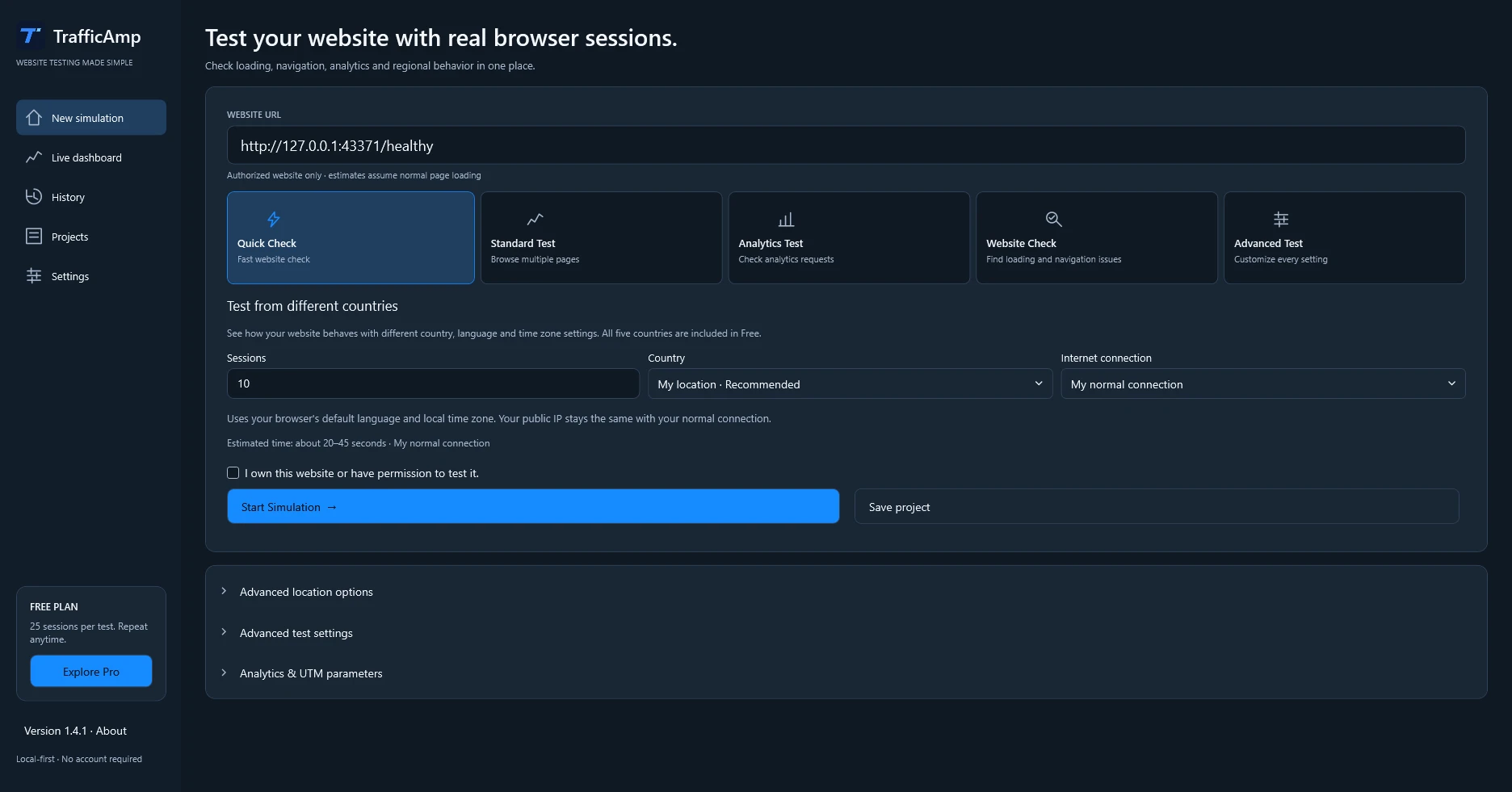
A page can look fine and still fail where it matters. A broken link. A blocked analytics request. Unexpected regional content.
TrafficAmp is website testing software for Windows that helps you follow the evidence. Run controlled browser sessions, inspect what happened and decide what to improve.
Explore FeaturesTest website loading and same-site navigation in real Edge contexts. See HTTP outcomes and timing observations from your actual run.
Browser & navigation testing →Separate a loaded script, a measurement request and a successful response. Website analytics testing helps you understand what the browser attempted.
Analytics verification →Try five country presets in Free. Check language and timezone behavior, while keeping browser settings separate from network origin.
Browser region testing →These are genuine V1.4.1 app captures.
Explore the interface you will actually use.
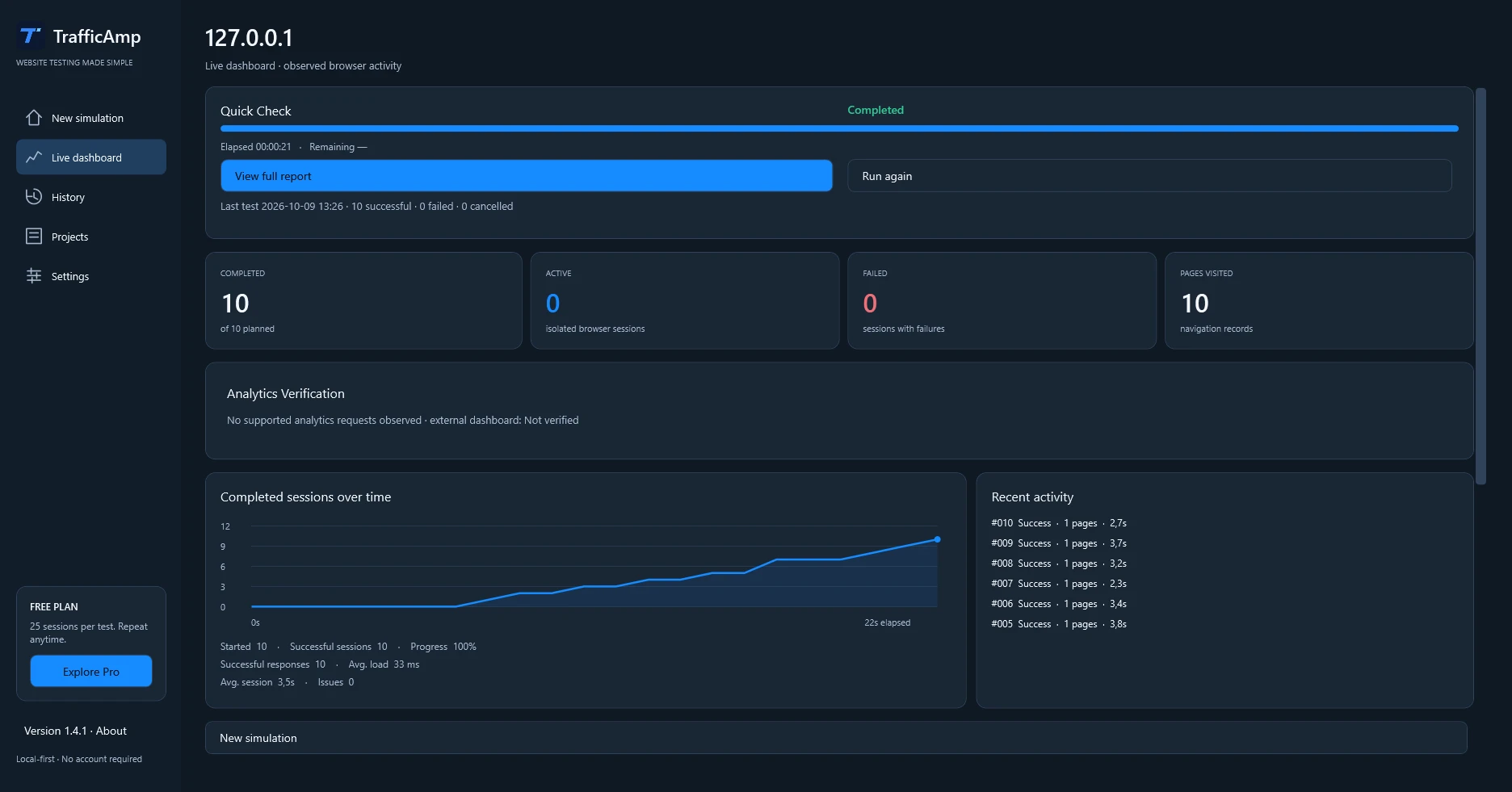
Enter a website you own or have permission to test. Choose Quick Check or another standard preset.
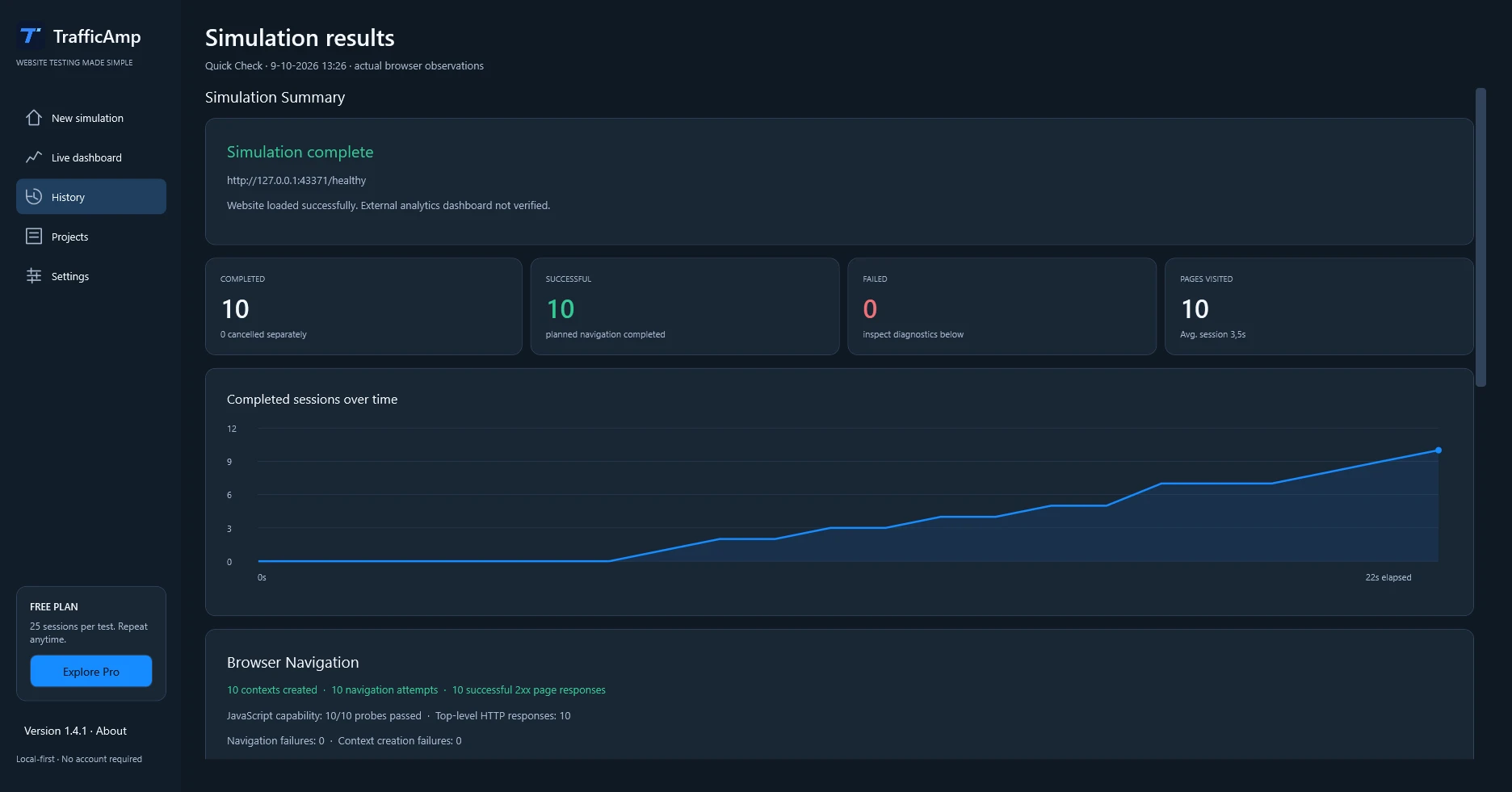
Run controlled real browser sessions on your Windows PC. Follow progress, pause new sessions or stop safely.
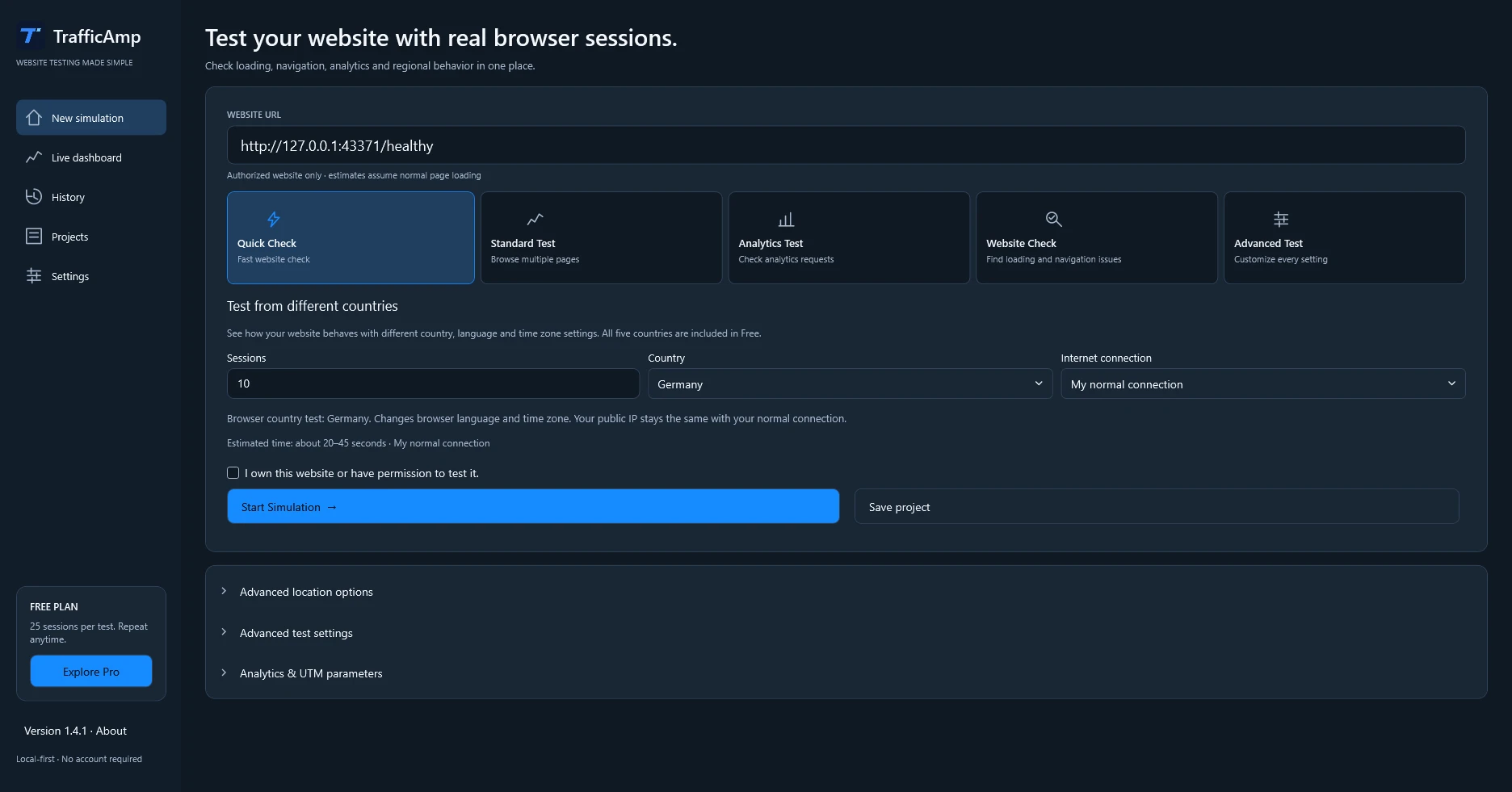
Review loading, navigation, analytics requests and diagnostics. Keep local reports to revisit your findings.
Free includes 25 sessions per test and unlimited repeat tests. Pro adds advanced configuration through a planned one-time Store purchase.
A practical place to start checking your website.
For deeper investigations and reusable test setups.
Permanent Store unlock planned. Add-on not published. No subscription; final Store prices may vary by market.
TrafficAmp runs locally, with no TrafficAmp account required. Your tests contact the websites and resources you choose; your reports stay on your PC.
A browser session is a test, not a unique person. A successful analytics response does not prove a visit appeared in an external dashboard. Browser regions do not supply foreign IP addresses.
Read the privacy draft →Testing and retained reports on your Windows PC.
Direct by default. Pro supports your own configured proxy.
Observe requests. Interpret results. Improve with confidence.
Understand sessions, browser regions and what Free includes.
All frequently asked questions →Yes. Free supports up to 25 browser sessions per test, repeated tests, four standard test presets, basic diagnostics, a live dashboard, local history and one saved project.
No. Separate browser contexts are not separate people. Direct sessions generally share your public IP. Analytics services decide how to filter, combine and count requests.
No. It changes language and timezone; Pro can optionally simulate browser geolocation. A network connection or suitable user-provided proxy is needed for a different IP country.
 Test smarter. Improve with confidence.
TrafficAmp is being prepared for Microsoft Store release. Public download availability has not been confirmed.
Microsoft Store release in preparationWindows 10 / 11 · x64 · Microsoft Edge required.
Free: 25 sessions per test. Pro: €9.99 planned one-time launch price.